
Stop losing decisions after the meeting ends. Set agendas, record attendance and notes against each point, assign tasks on the spot, and send professionally formatted minutes to every attendee automatically.
Break free from legacy debt. We engineer seamless digital experiences, modern cloud-native architectures, and AI-powered backends that accelerate performance across your front and back offices.

WorkMeeting is a minutes of meeting and collaboration software that allows users to schedule meetings, set agendas, share meeting notes and manage to-dos all in one centralized location.
Since more and more companies are now allowing their workforce to work from home, it is important to provide them a collaboration tool that keep track of all their meeting information. WorkMeeting facilitates collaboration among your work force so that all the meeting attendees no matter where they are, are on the same page by meeting information quickly.

Be organized and plan your meetings hassle free
With WorkMeeting you can create your meeting hassle free. Forget the emails being sent back and forth, you can easily see who is available directly from your corporate calendar and schedule a meeting accordingly
- Easily schedule a meeting using web, mobile or using MS office calendar to make sure everybody is available and ready for meeting.
- Get notified about upcoming meetings and points to be discussed ahead of time.
- Attached all necessary documents that you need everyone to see and discuss during meeting.
- Timely reminders to all the invitees to make sure the meeting starts on time
Hold productive and collaborative meetings
By sending clear agenda of the meeting, you will have meetings that end on time using timekeeper that shows you, points discussed and overall time taken during the meeting.
- Once you start the meeting, system allows you to take attendance of the invitees
- Write your notes against each agenda items. Highlight whether point discussed is a key point or a decision taken
- System allows you to park any agenda items that needs to be discussed at a later stage or where there is no decision made

Hassle free task management and automated follow-ups
Like any meeting, there will be task created and assigned. WorkMeeting makes it easier for you to create task and assign it to any of the attendees during meeting.
- Assign tasks while taking notes. The task will be emailed to the task owner and added to the tasks list
- Since all the tasks assigned along with a due date, you can configure the system to automated follow-ups based on date or time.
- Incomplete tasks from the previous meeting are automatically added to the task summary of your new meeting.
Share a professional looking minutes of meeting quickly
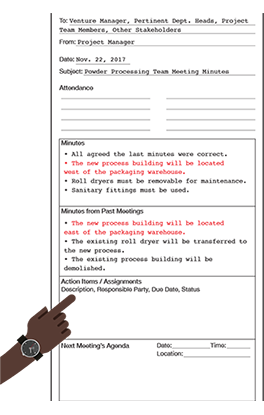
Save time in writing by automatically generating a perfectly formatted meeting minutes that you can easily print or share by email.
- No need to format your information in Word or Google docs, WorkMeeting does it all for you. During the meeting you take short notes and Workmeeting will format it into professional minutes.
- Once the meeting is over WorkMeeting automatically shows you the preview of the minutes and after reviewing, sthe system directly sends an email along with attachment to all the attendees.
- With WorkMeeting there is a less chance for you to miss out any points discussed during the meeting since there is no need for you to draft minutes of the meeting email manually

Integration and customization
WorkMeeting is a scalable and robust solution that can be integrated with any third-party application and can be customized to your specific business requirement.
- WorkMeeting is already integrated with your MS Office, so that you can write your agenda and quickly invite your colleagues to your meetings.
- Simple and effective integration of upcoming meetings and tasks to do with your corporate calendar through an ICS file.
- WorkMeeting can be further customized based on your specific requirement and can be integrated with any third-party application such as your existing video conference solution.